Single ask
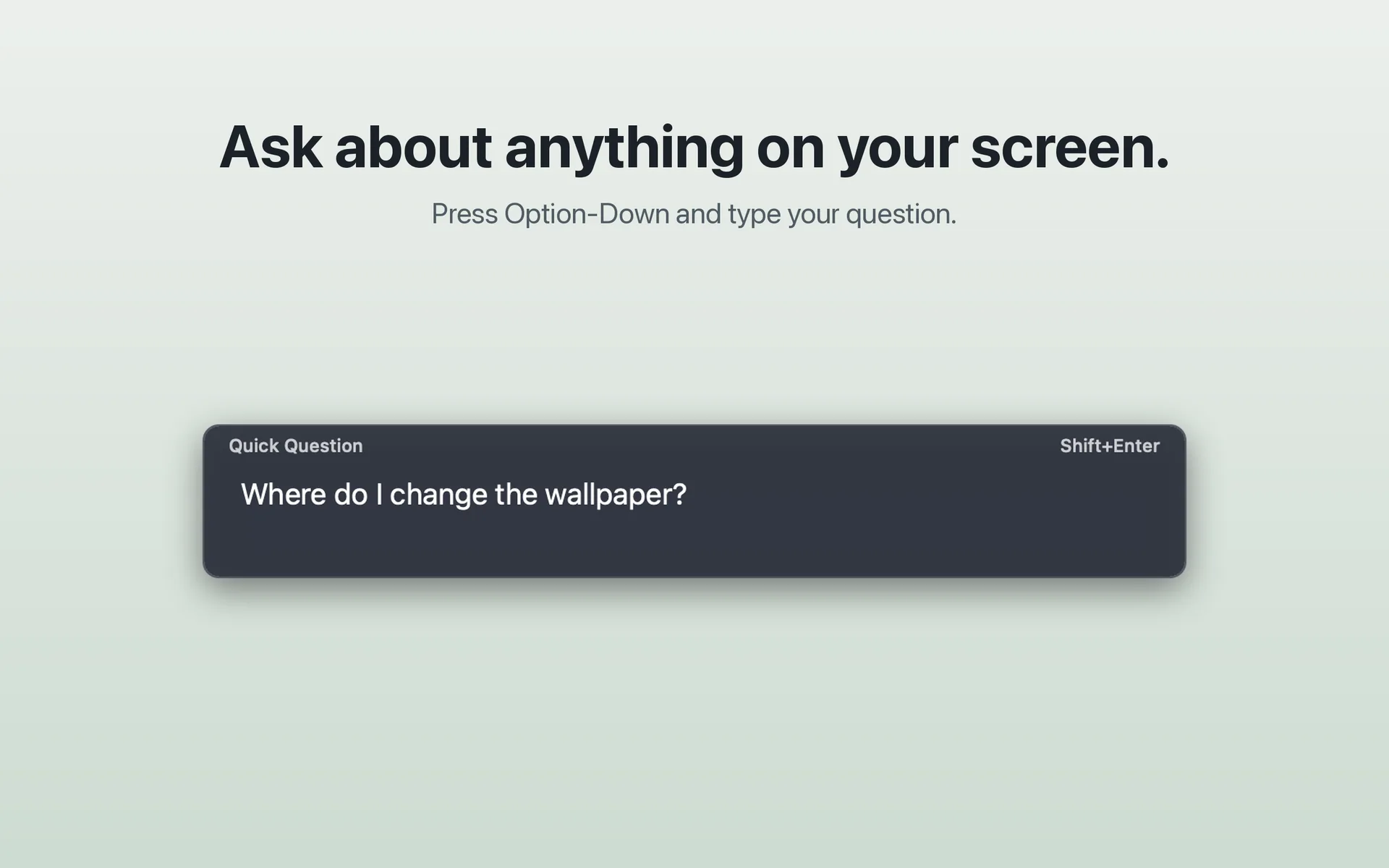
Press ⌥↓, type a question, press Shift+Enter. Cue answers in a card and, when you ask it to show you, highlights the elements it means. ⌥ Space clears it.
You ask.Cue shows you.You stay in control.
Cue works with an AI command-line tool you already use, such as Claude Code, through the free Cue bridge. Setup guide
Cue answers in a card and, when you ask it to, marks the buttons and fields it means. It never clicks or types for you.
Press ⌥↓, type a question and press Shift+Enter. The question card sits on top of whatever you are working in.
Full screenshot: Ask ↗
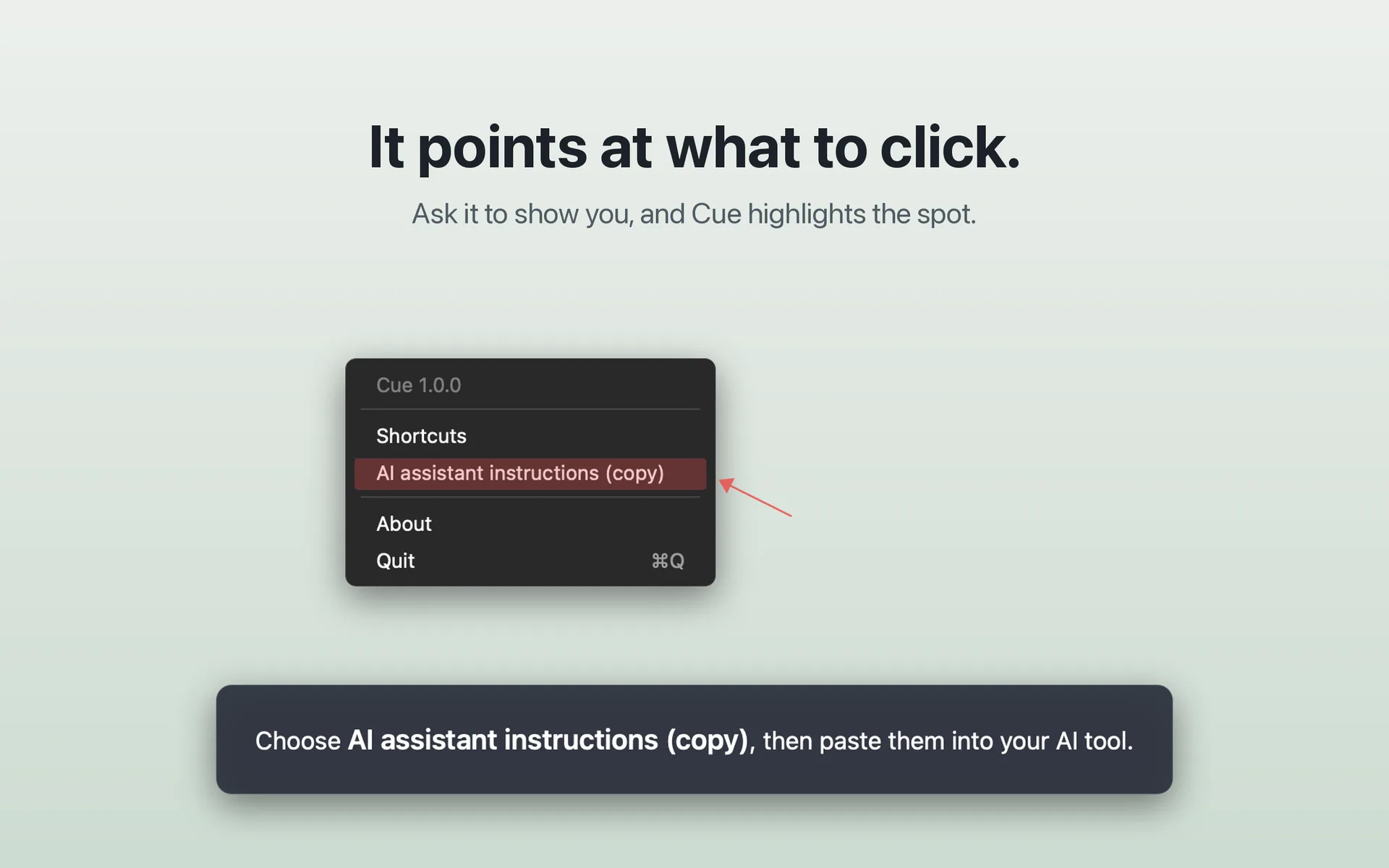
Ask Cue to show you and it highlights the spot, with the answer in a card. Here it marks an item in Cue’s own menu.
Full screenshot: Point ↗
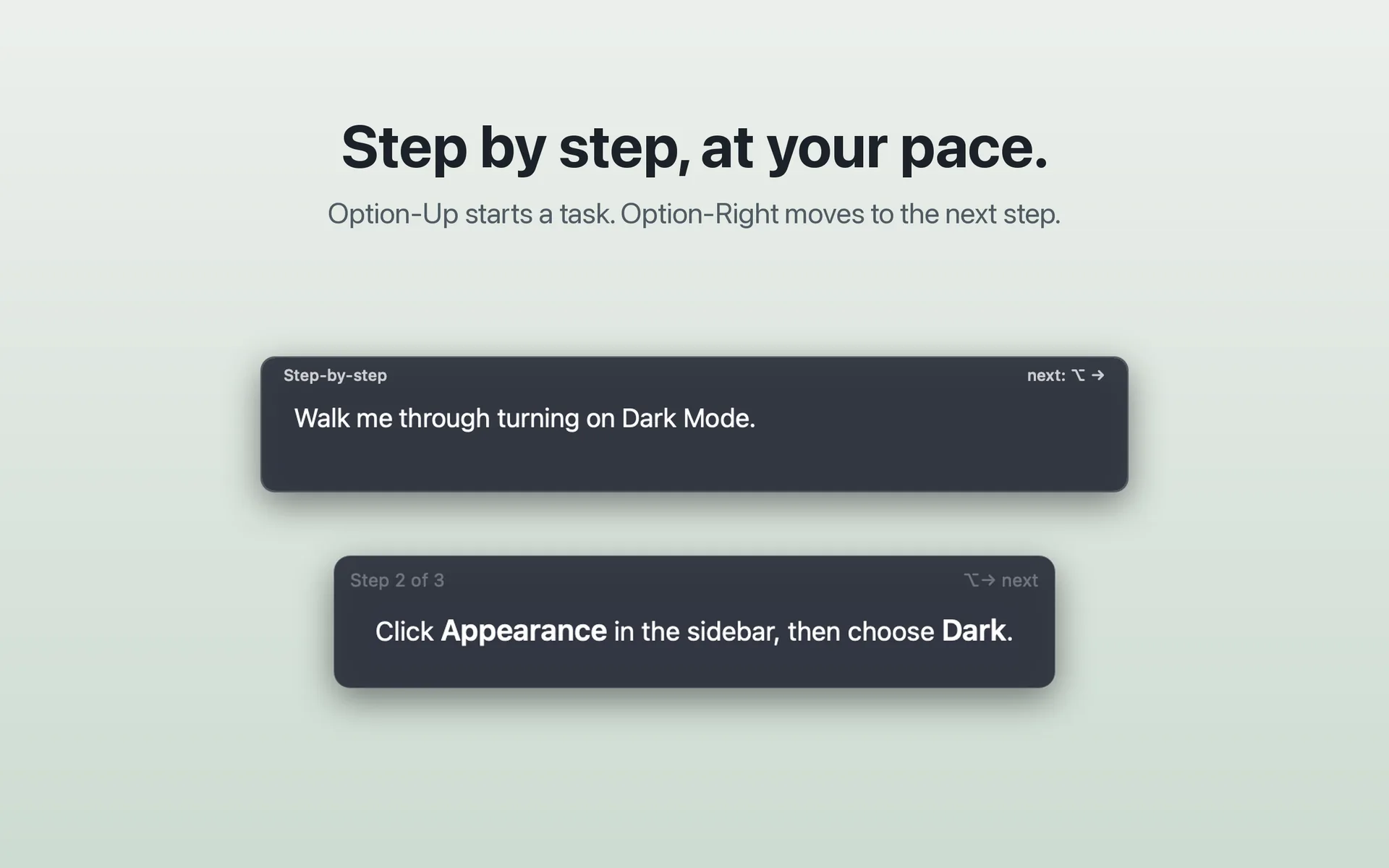
⌥↑ starts a task. Cue shows the current step; when you have done it, ⌥→ moves to the next one.
Full screenshot: Step by step ↗Cue lives in the menu bar. Press ⌥↓ for a single question or ⌥↑ to start a step‑by‑step task, type, and press Shift+Enter. Cue reads the screen and replies in a card at the bottom of the display.
⌥↓ opens a single question.
⌥↑ starts a step‑by‑step task.
Cue passes your question and screenshots of your displays to the AI CLI you set up, through the Cue bridge. The CLI can ask Cue for more screenshots as it works. An on‑device model finds where elements are, so highlights land on them.
You do the step yourself. Then move on, bring the last answer back, or clear the screen.
A single ask is one question and one answer. Step‑by‑step is a task: Cue re-reads the screen each time you press ⌥→ and gives the next step.
Press ⌥↓, type a question, press Shift+Enter. Cue answers in a card and, when you ask it to show you, highlights the elements it means. ⌥ Space clears it.
Press ⌥↑ and state the goal. After you act, ⌥→ tells Cue you are ready: it re-reads the screen and gives the next step. ⌥ Space stops.
Dense, unfamiliar or high-stakes interfaces. The kind where one wrong click has a cascade.
"Delete cluster", "Force push", "Apply migration". Ask Cue to read the screen and say what is about to happen.
"This deletes 3 production nodes and there's no undo."
A new console, a fresh CRM, a settings panel you've never seen. Tell Cue your goal and it walks the path with you instead of you bouncing between docs and tabs.
"The next click is the Networking tab."
An invoice with the wrong client name. An email with a stale date. Ask Cue for a second look at what is on screen.
"The invoice line items are for Acme. Subject line says Globex."
With the command on screen, ask "safe to run?". Cue explains what it touches and points out the risky parts.
"This rm includes a symlink to your home folder."
A second pair of eyes you call in. Not a watcher, and not an agent that takes the wheel.
Cue is a paid app on the Mac App Store, with the price shown in your local currency. It is not available yet.
Bring the AI command-line tool you already use. The free Cue bridge connects it to Cue; the setup guide walks through it.